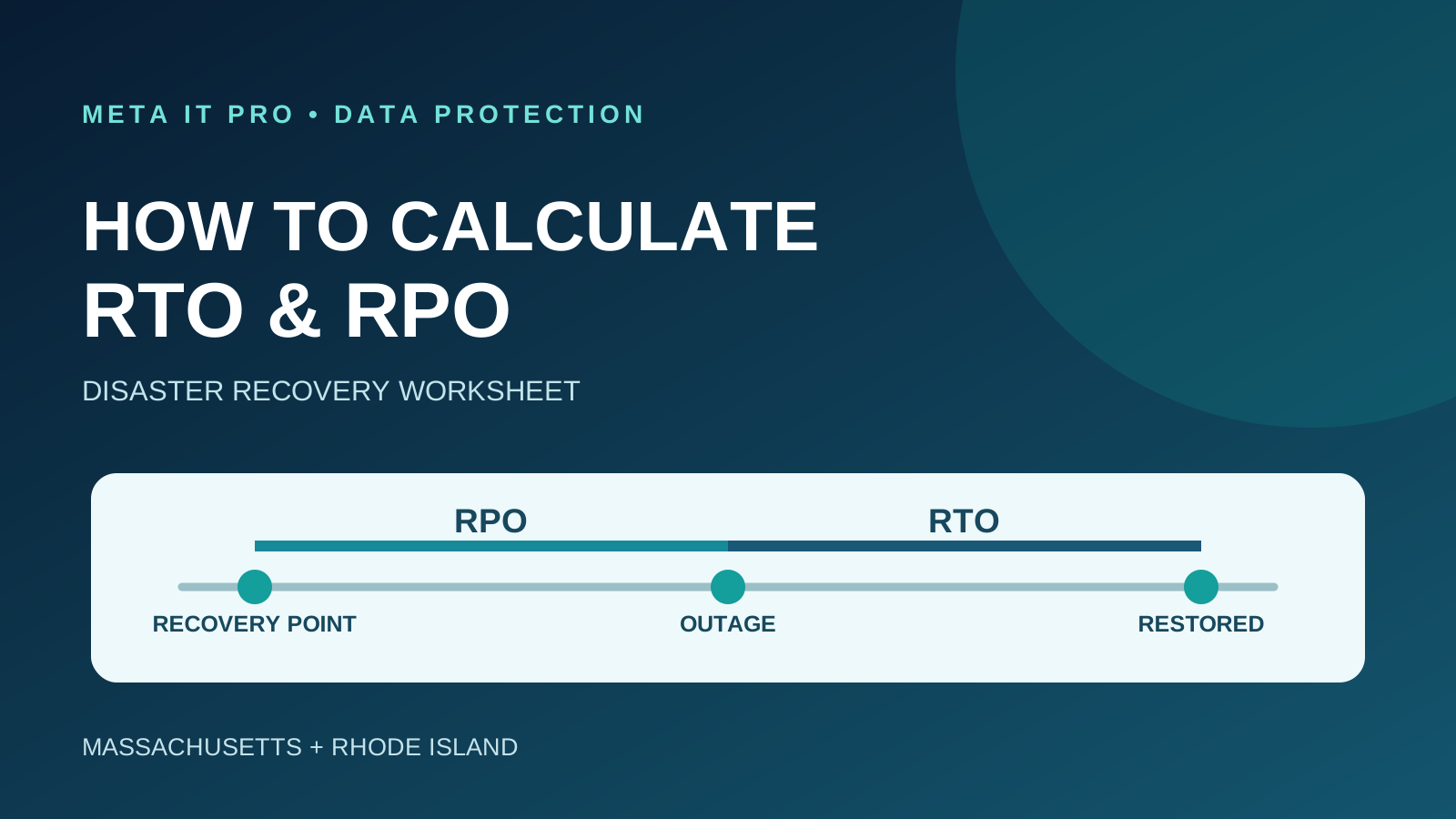
A practical worksheet for calculating recovery time and recovery point objectives, mapping business dependencies, estimating downtime impact and validating restoration results.
Key takeaways
What to know before you act
- Recovery Time Objective (RTO) defines how quickly usable service must be restored; Recovery Point Objective (RPO) defines how far back recoverable data may be.
- Choose recovery targets from a business impact analysis and maximum tolerable downtime, not from backup software defaults.
- A successful backup job is not proof that a complete application can be restored within its RTO or RPO; test and record both results.
Why it matters
What business leaders should understand
Successful backups alone do not prove a business can restore systems fast enough or recover data from a sufficiently recent point. Recovery objectives must be agreed, implemented and tested.
The right response should reflect your environment, data, vendors, risk, and operational priorities. Use this guide as a practical starting point, then validate important decisions with the people responsible for your technology, cybersecurity, legal obligations, and insurance coverage.
Learn how Meta IT Pro can help with rto vs rpo explained, backup and disaster recovery, and business continuity planning.
Related reading: What Is Data Security? and What Is a Data Breach?.
Start with business impact, not backup software
Your company has backups, but if a server fails Monday morning, how long until employees can use the applications they need? How much recent work could disappear? These are separate questions.
Recovery Time Objective (RTO) is the target time to restore usable service. Recovery Point Objective (RPO) defines the point in time to which data must be recoverable. NIST's contingency planning guidance uses these measures to translate business needs into technical recovery requirements.
For Massachusetts and Rhode Island businesses, the challenge is setting realistic targets, selecting protection methods and demonstrating recoverability through tests.
Step 1: Identify critical business processes
Start with workflows, not server names. An accounting firm may rely on tax preparation, Microsoft 365, client portals and shared files. A medical practice may rely on clinical applications, scheduling and communications. A manufacturer may need inventory, shipping and production systems.
Ask each department when disruption becomes unacceptable, whether a manual workaround exists, and which technology dependencies must be restored together. A recovered application server is not usable if identity, database or network services remain down.
Step 2: Establish maximum tolerable downtime
NIST describes Maximum Tolerable Downtime (MTD) as the total time a business process can be disrupted before unacceptable consequences. It is broader than technical restoration time.
For example, if payroll cannot remain disrupted longer than eight hours on payroll day, its technical RTO may need to be shorter to allow time for validation and completing the payroll process. Do not automatically set RTO equal to MTD.
Step 3: Estimate the business impact of downtime
Estimate lost productivity, lost contribution margin, additional recovery costs and material operational consequences. Avoid treating all gross sales as lost profit or double counting overlapping costs.
Illustrative example: a 20-person firm has 12 affected employees with combined loaded labor costs of $540 per hour, an estimated $350 per hour in lost contribution margin and $110 per hour in additional disruption costs. The total estimated impact is $1,000 per hour; a four-hour disruption is approximately $4,000 under these assumptions.
This is a hypothetical planning illustration, not an industry benchmark. Missed deadlines, patient care impacts and contractual penalties can make consequences nonlinear.
Step 4: Set system-specific recovery time objectives
Select an RTO for each critical process based on business impact, its MTD and time needed to resume operations. Record what counts as usable restoration and which dependencies are included.
Illustrative RTOs might be two hours for client scheduling, four hours for accounting applications, eight hours for shared documents and 48 hours for a historical archive. These are not universal recommendations or provider guarantees.
An RTO is an objective. Whether a system can actually meet it requires suitable architecture and testing.
Step 5: Set recovery point objectives based on acceptable data loss
RPO defines the age of the data that must be recoverable relative to the disruption. If a transaction system has a one-hour RPO, its recovery design must make a usable recovery point available within the required interval.
Nightly backups alone generally cannot consistently meet a one-hour RPO for changing daytime data. Depending on application consistency requirements, shorter RPOs may require frequent backups, transaction log protection, snapshots or replication.
Illustrative RPOs might be 15 minutes for high-volume transactions, one hour for accounting, four hours for shared documents and 24 hours for historical archives. Replication alone does not replace isolated, retained backups because deletion, corruption and ransomware can replicate.
Step 6: Complete the RTO and RPO worksheet
Document each process in a worksheet approved by its business owner. A sample record follows.
- Business process: client accounting and tax preparation.
- Owner: accounting manager.
- Dependencies: application, database, identity and shared files.
- Maximum tolerable downtime: 8 hours.
- Approved RTO: 4 hours.
- Approved RPO: 1 hour.
- Current backup frequency: nightly.
- Last successful full restore test: not documented.
- Gap: backup interval may not meet the approved RPO.
- Action: evaluate more frequent recovery points and conduct a restoration test.
- Responsible parties: IT provider and accounting manager.
- Review: next quarterly business continuity review.
- An approved recovery objective is not proof that the current system achieves it. Record and resolve or formally accept each gap.
Step 7: Include the complete recovery sequence
Measure the time from the defined disruption or recovery trigger through detection, incident declaration, administrator access, infrastructure restoration, application recovery, dependency reconnection, integrity checks and confirmation that staff can work.
For ransomware, establish that the restored environment is trustworthy before reconnecting it. Restoring contaminated systems can reintroduce the incident.
Illustrative measurement: an outage starts at 10:00 a.m. and usable service returns at 1:30 p.m., yielding 3 hours 30 minutes observed recovery time. If the latest usable data is from 9:00 a.m., observed data loss exposure is one hour. Track these separately: an exercise can meet RTO and fail RPO, or the reverse.
Step 8: Test recoverability against approved targets
A green backup-job status does not demonstrate that the application, its permissions and its data can be restored. A credible exercise restores a representative workload, validates data integrity, checks dependencies and confirms that users can complete business tasks.
Record the test scenario, selected recovery point, start time, time usable service returned, achieved data point, validation results, exceptions and remediation owners. Failed tests should generate corrective work and retesting.
NIST contingency planning guidance emphasizes documented exercises, testing and maintenance. The NIST Cybersecurity Framework 2.0 includes recovery as a core function.
Step 9: Choose technology based on business requirements
Less critical archives may tolerate daily backups and longer restoration. Rapidly changing databases may need application-consistent recovery points or transaction logs. Short downtime targets may justify standby infrastructure, virtualization or other availability measures.
High availability and backup are not interchangeable: redundant systems can still replicate corruption or malicious changes. Evaluate administrative isolation, retention, encryption, recovery bandwidth, monitoring and third-party dependencies.
Avoid overpaying for near-zero targets on noncritical systems, but do not select a cheap solution that cannot meet an approved requirement.
Step 10: Review objectives when your business changes
Revisit recovery targets after adding offices, adopting new cloud applications, changing vendors, expanding operating hours or experiencing a significant outage or unsuccessful restore test.
A recovery plan is useful only if it matches the current technology and business processes.
Massachusetts and Rhode Island industry considerations
A CPA firm may need different recovery priorities during tax season. Healthcare practices must assess impacts on patient workflows. Law offices may need to protect time-sensitive filings and confidential records. Manufacturers may prioritize inventory and production systems.
Regulations, contracts and insurance terms can influence recovery planning, but no single RTO or RPO automatically satisfies every legal obligation. Consult appropriate business, legal and compliance stakeholders.
Frequently asked questions
Does a four-hour RTO guarantee restoration in four hours? No. It is a planning objective, not an automatic contractual guarantee.
Can nightly backups meet a one-hour RPO? Generally not consistently for frequently changing data.
Should all systems have the same targets? No. Rank each process by business impact.
Does cloud hosting eliminate recovery planning? No. Availability, deletion, account compromise and application recovery remain distinct risks.
How often should we test? Establish a documented recurring schedule based on risk and retest after major changes or failures.
How does MTD differ from RTO and RPO? MTD is the broader limit on business disruption, RTO is the restoration-time target, and RPO is the required recoverable data point.
Turn recovery objectives into a tested continuity plan
Meta IT Pro helps small and midsize organizations across Massachusetts and Rhode Island assess critical systems, plan backup protection, prioritize recovery and test restoration readiness.
For a basic explanation, read https://metaitpro.com/rto-vs-rpo. Explore https://metaitpro.com/backup-disaster-recovery and https://metaitpro.com/business-continuity-planning-for-massachusetts-rhode-island-businesses. Request a Backup and Disaster Recovery Readiness Assessment at https://metaitpro.com/contact.
Practical action plan
Steps your business can take
Map critical business processes, dependencies and maximum tolerable downtime.
Estimate downtime impacts and approve system-specific RTO and RPO targets.
Document current backup frequency, restoration capability and gaps against targets.
Run restoration tests that measure both elapsed recovery time and recovered data age.
Warning signs
Do not ignore these indicators
- Backup success alerts are mistaken for tested recovery
- A nightly backup is expected to satisfy an hourly RPO
- No business owner has approved recovery priorities
- No one has measured how long complete application restoration takes
How Meta IT Pro can help
Related services and practical next steps
Explore the services connected to this topic. These links provide more detail about scope, safeguards, support, and how to start a conversation with our team.
Authoritative references
Sources and further reading
These primary sources support the guidance in this article and provide additional technical or consumer information.
NIST
Contingency Planning Guide for Federal Information Systems (SP 800-34 Rev. 1)
Business impact analysis, MTD, RTO, RPO and recovery testing guidance.
NIST CSRC Glossary
Recovery Time Objective (RTO)
Official recovery time definition.
NIST CSRC Glossary
Recovery Point Objective (RPO)
Official recovery point definition.
NIST
NIST Cybersecurity Framework 2.0
Risk governance and recovery framework.
CISA
StopRansomware Guide
Ransomware preparation and recovery considerations.
Need help with your IT solution?
Get practical guidance from a local IT and cybersecurity team.
Meta IT Pro helps Massachusetts and Rhode Island businesses improve support, security, Microsoft 365, Google Workspace, networks, backup, recovery, and compliance readiness. Tell us what is not working - or what you want to improve - and we will help identify a sensible next step.